**To use italics in YouTube comments, put an underscore before and after the words: \_like this\_. For bold, wrap the text in asterisks: \like this\. For strikethrough, wrap it in hyphens: -like this-. The formatting appears after you post. YouTube's Help Center lists these three styles for comments, and links you paste become clickable automatically.**
Plain comments get lost in long threads. A bold key point, an italic aside or a crossed-out joke makes a comment easier to read and more likely to get replies. Below: the official syntax, how to combine styles, why formatting sometimes doesn't work, and other comment tools creators can use — pinning and hearts.
The three formatting styles
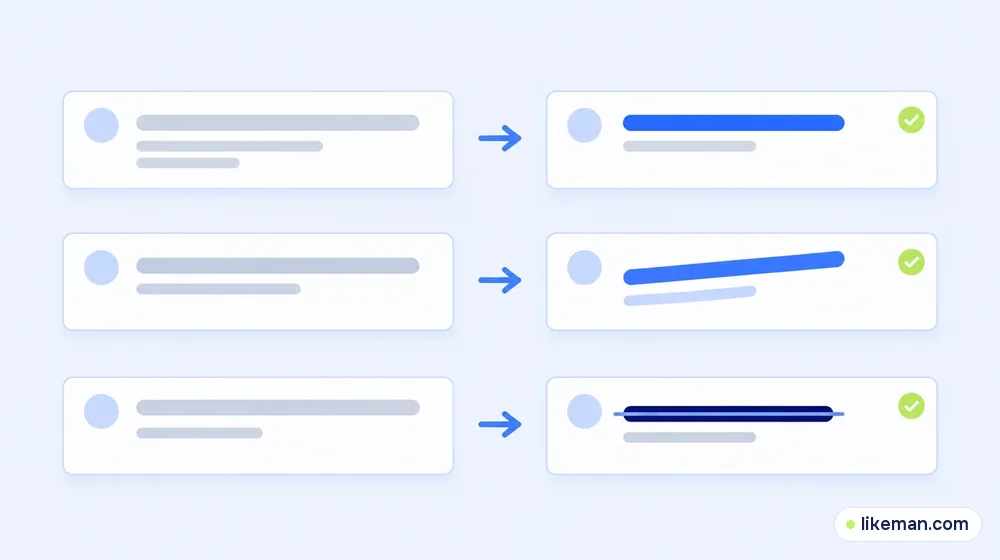
YouTube's Help Center describes rich-text tags you can use in comments:<!-- checked: 2026-10-16, https://support.google.com/youtube/answer/6000964 -->
| What you type | What viewers see |
|---|---|
| \bold text\ | bold text |
| \_italicized text\_ | italicized text |
| -strikethrough text- | ~~strikethrough text~~ |
Type the symbols directly around the words, with no spaces between the symbol and the first or last letter.
How to italicize YouTube comments step by step
- Click or tap Add a comment… under the video.
- Type your comment.
- Put an underscore immediately before the first word you want in italics and another immediately after the last one.
- Post the comment. The underscores disappear and the words appear in italics.
The same steps work for bold (asterisks) and strikethrough (hyphens). You can format a single word or a whole sentence.
Combining styles
You can nest symbols to combine styles, for example bold and italic together: \\_important\_\. Keep the order symmetrical — the symbol you open first should close last. If the result looks wrong, edit the comment and simplify; combined styles are easy to break.
Why formatting doesn't work sometimes
- Spaces next to the symbol. \_ italic\_ won't work; it must be \_italic\_.
- Punctuation glued to the symbol. A comma or full stop directly after the closing symbol can stop the style; move it outside or add a space.
- Hyphens inside words. Strikethrough uses hyphens, so words like "well-known" can confuse it; reword if needed.
- Copying from other apps. Smart quotes or special underscores may not count as the right symbol — type them directly.
- No preview. YouTube shows the formatting only after you post; check the result and edit if necessary.
Examples you can copy
- \Spoiler-free summary:\ the first half is setup, the payoff starts at 7:40.
- \_Small correction:\_ the release year is 2019, not 2018.
- Best tip in the video: \clean the filter weekly\.
- I -totally- didn't rewatch this three times.
- \Question for the creator:\ will there be a part 2?
Paste one, swap in your own words and keep the symbols tight against the text. Formatting works best when it highlights one thing per comment; a comment where everything is bold reads like shouting.
Formatting on phone and computer
The symbols work the same on the YouTube app and on a computer. On phones, the underscore and asterisk are usually on the symbols keyboard; some keyboards replace hyphens with dashes automatically — if strikethrough fails, check that you typed a plain hyphen.
Links, mentions and timestamps
- Links: if you add a URL, YouTube shows it as a hyperlink.
- Timestamps: typing a time such as 2:15 usually turns into a clickable link to that moment in the video — handy for pointing to a scene.
- Mentions: type @ followed by a channel handle to mention someone.
Use links sparingly. Long comments full of links look like spam and may be held for review.
Tools for creators: pin and heart
If you run a channel, a couple of comment tools help shape the conversation:
- Pin a comment. In the comments below a video, open the comment's menu and choose Pin. It moves to the top with a "Pinned by" label and your channel name; pinning a new comment replaces the old one. Pinning requires advanced features to be turned on for your channel.
- Give a heart. A heart shows appreciation for a viewer's comment, and the viewer may get a notification that the channel loved it.
Pin a formatted comment with key links or chapters — bold headings make it skimmable.
Writing comments people reply to
- Lead with the key point, in bold if it helps.
- Add a timestamp when you react to a specific moment.
- Ask a real question rather than "first!".
- Keep it short; long comments get collapsed.
For creators who want more comments on their own videos, the habits that grow a channel matter most: our subscriber growth checklist covers them, and YouTube's subscriber thresholds for getting paid explain when engagement turns into income.
How it works at LikeMan
An upload with an empty comment section can put off the first viewers. Our YouTube comments need only the video's URL; we never touch your Google account. Checkout shows the full amount, the order launches itself, and comments that disappear within twelve months are replaced. Ordered comments start the conversation; they don't replace replies from real viewers, so pin a question and respond to everyone who joins in.
FAQ
How do you italicize text in a YouTube comment?
Wrap the text in underscores with no spaces: \_like this\_. It turns italic after you post.
How do you make text bold in YouTube comments?
Wrap it in asterisks: \like this\.
Can I use formatting in YouTube video descriptions?
The symbols are documented for comments. Descriptions support links, timestamps and hashtags; test any other formatting before relying on it.
Why can't I see a preview of my formatted comment?
YouTube applies formatting only after posting. Check the comment and edit it if the symbols still show.
Conclusion
Formatting YouTube comments takes three symbols: asterisks for bold, underscores for italics, hyphens for strikethrough. Place them right against the words, avoid stray punctuation, and check the result after posting. Combined with timestamps, pins and hearts, a little formatting makes comments clearer — and more likely to start a conversation.