
To share an Instagram* profile, open your profile and tap Share profile under your bio: you'll get a QR code you can customise, plus options to copy your link or send it. To pass along someone else's account, open their profile, use the ⋯ menu and pick Share this profile. Your link is always instagram.com/ followed by your username.
Sharing your profile is the simplest way to turn people you meet — at events, in other apps, in your shop — into followers. Below: every way to share, how the QR code works, how to send profiles in chats, what happens with private accounts, and where to place your link so it actually brings followers.
Ways to share a profile
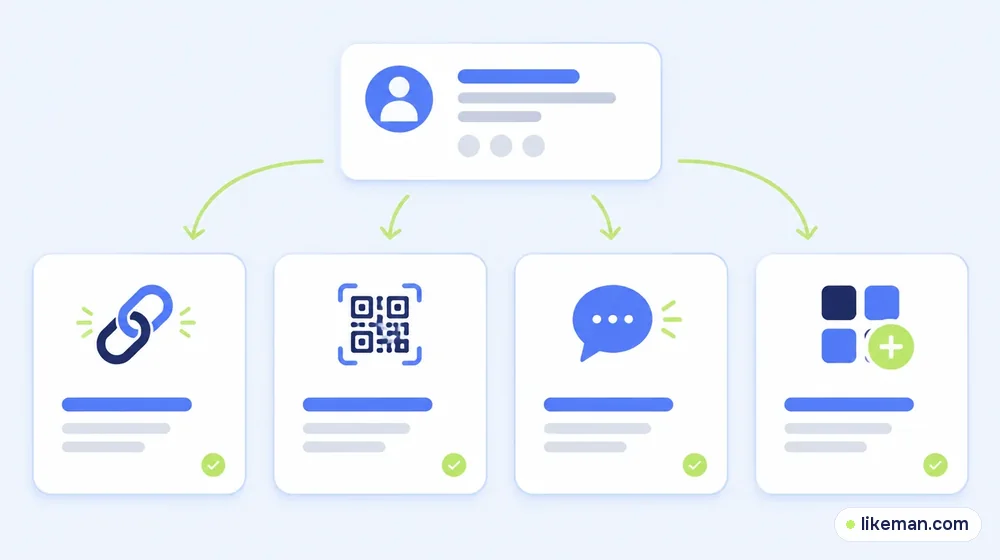
| Method | Best for | Where to find it |
|---|---|---|
| Profile link | Websites, emails, other social apps | Share profile → Copy link, or instagram.com/username |
| QR code | Events, packaging, posters, business cards | Share profile under your bio |
| Send in a chat | Introducing a friend or a brand | Three dots on any profile → Share this profile |
| Link in other bios | TikTok, YouTube, X, Telegram | Paste your instagram.com link |
Share your own profile with a link or QR code
Instagram*'s Help Center describes the steps:<!-- checked: 2026-10-16, https://help.instagram.com/925529167647849/ -->
- Open your own profile (your photo in the bottom bar).
- Tap Share profile below your bio.
- A QR code appears. Tap the screen or the button at the top to customise it: Color, Emoji or Selfie designs.
- Use the sharing options to copy your link or send it to another app.
Two notes from Instagram*: a QR code helps people find your profile, but you can't log in to Instagram* with a QR code. Anyone can scan it with the Instagram* camera or their phone camera to open your profile.
Your profile URL
Your link is always instagram.com/ plus your username — for example instagram.com/yourname. If you change your username, the old link stops working, so update it everywhere you've posted it.
Send someone's profile in a chat
To recommend an account to a friend:<!-- checked: 2026-10-16, https://help.instagram.com/412136702321395/ -->
- Go to the profile you want to share.
- Tap More options (three dots) in the top right.
- Tap Share this profile.
- Choose the person or group and tap Send.
The message shows the account's name, username and a preview of some photos. Instagram* notes that shared profiles are only visible to people who could already see them: if you send a private profile, only its followers will see the photo preview.
Where to put your profile link
- Other social bios. TikTok, YouTube, X and Telegram all let you add a link or mention.
- Email signature and website. A small Instagram* icon linked to your profile.
- Printed QR code on packaging, menus, receipts and event badges — a customised colour matching your brand looks intentional.
- Your Stories on other platforms. Mention your handle at the end of videos.
- Collaborations. Ask partners to tag your @ in posts so their audience can tap through.
Make the click worth it
Sharing only works if your profile convinces in a few seconds:
- A clear name field with your topic.
- A bio that says who you help and what they'll get.
- Highlights organised like a menu.
- Pinned posts that show your best work.
- Fresh content, published when your audience is online — our posting-time research helps you pick the slot.
Sharing a business or creator profile
For businesses, the profile link works best when it's part of a clear path:
- Online shop: link your Instagram* from product pages and order confirmation emails, with a line about what customers will find there — new arrivals, behind the scenes, discounts.
- Restaurant or salon: print the QR code on the menu or the mirror, with a short call to action ("See today's specials").
- Creator: add your Instagram* to your YouTube channel links, TikTok bio and newsletter footer, and mention it at the end of videos.
Track what works: Instagram*'s insights show profile visits, so compare weeks before and after you add your QR code or link somewhere new.
Private vs public profiles
If your account is private, people who open your link see your name, photo and bio, but not your posts until you approve their follow request. For a creator or business that wants new followers, a public account converts better; for a personal account, private is the safer choice.
How it works at LikeMan
When you share your profile with new people, a very low follower count can make them hesitate. LikeMan offers Instagram* followers ordered with your public username — no password involved. Pricing is shown upfront, nothing else is needed after checkout, and our one-year guarantee replaces lost followers. Followers from an order won't comment or buy; the profile tips above and good content are what turn visitors into a real audience. If you're curious when followers start to pay off, read how many followers it takes to earn on Instagram*.
FAQ
How do I find my Instagram* profile link?
It's instagram.com/ followed by your username. You can also copy it from Share profile on your profile.
Can people scan my Instagram* QR code with a normal camera?
Yes. The QR code opens your profile when scanned with the Instagram* camera or most phone cameras.
If I share a private profile, what will people see?
The name, username and profile photo; only approved followers see the posts and photo previews.
Can I customise my Instagram* QR code?
Yes — choose a colour, emoji or selfie design from the Share profile screen.
Conclusion
Sharing an Instagram* profile takes one tap on Share profile: copy your instagram.com link or show your customisable QR code. To introduce someone else's account, use Share this profile in a chat. Put your link everywhere your audience already is, and make sure the profile they land on gives them a reason to follow.