
Instagram* has one official bulk option: open your follower list, tap Potential spam, then Remove all spam followers. That clears every account Instagram* has filtered as likely spam in one go, and the removed accounts aren't told. For real people there is no "select all" — you remove them one at a time from the Followers list. Apps that promise mass removal need your login and break Instagram*'s rules.
People want to bulk-delete followers for different reasons: a wave of bots after a giveaway, an old personal audience on an account that's now a business, or a private profile that needs a reset. Below: the built-in spam tools, the fastest manual routine, what to do on TikTok, and why "mass remover" apps cost more than they save.
Option 1: remove all potential spam followers
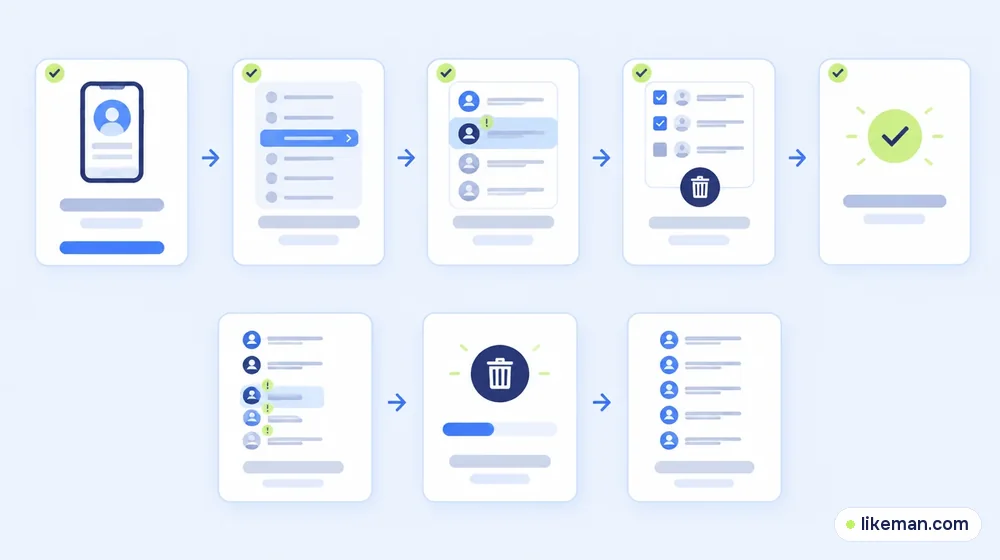
Instagram* filters accounts it considers likely spam into a separate list inside your Followers tab. According to the Help Center, such accounts can't follow you without your confirmation, and you can clear the whole list at once:<!-- checked: 2026-10-16, https://help.instagram.com/340413218365867/ -->
- Switch to the profile tab at the bottom right.
- Tap your follower count, then Potential spam.
- Tap Remove all spam followers, then Remove.
Instagram* doesn't notify those accounts that they were removed. If you'd rather check each one, the same list lets you tap Confirm to approve a request or Delete to deny it.
Turn the spam filter on
If you don't see a Potential spam list, the filter may be off. Profile → Menu → Settings and privacy → Followers → toggle Filter spam followers. With it on, likely bots land in the separate list instead of your main count, so future clean-ups take seconds.
Option 2: remove real followers one by one
Instagram* has no tool to select dozens of genuine followers and delete them together. The manual way is still quick if you work in one sitting:
- On your own profile, open the Followers list.
- Use the search box to find a specific account, or scroll the list.
- Tap Remove next to the name (or the ⋯ button, depending on the version), then confirm.
The Help Center notes that a removed follower isn't notified.<!-- checked: 2026-10-16, https://help.instagram.com/413012278753813/ --> On a public profile, though, anyone you remove can simply follow you again, so removal works best together with the steps in the next section.
A faster routine for big clean-ups
- Sort by date. On recent app versions you can sort the Followers list; starting from the earliest or latest batch helps when a giveaway or a bot wave arrived on a specific day.
- Look for patterns. No profile photo, no posts, random letters in the username, thousands of followings — remove those first.
- Work in short sessions. Doing hundreds of actions in a few minutes can trigger Instagram*'s limits; spread the work over a few days.
- Use the "Accounts you don't follow back" category in your Following list to spot old connections you no longer need — handy when you're tidying both lists.
Make sure the removed followers stay gone
- Switch to private. On a private account, nobody can follow you without approval, so removed accounts can't return silently. Instagram*'s own one-by-one removal tool is built around private profiles.
- Block persistent accounts. Blocking removes the account and stops it from finding you again.
- Restrict instead of removing if you want to keep someone as a follower but limit their comments and messages.
- Keep the spam filter on so the next wave of bots goes to Potential spam automatically.
Why "mass remover" apps are a bad idea
Search results are full of browser extensions and apps that promise to delete thousands of followers in one click. They usually ask for your Instagram* login or work inside your logged-in browser. Instagram*'s Help Center warns against giving your login information to third-party apps, and automated actions at that speed are exactly what Instagram*'s anti-spam systems are designed to catch. The typical outcomes:
| What the app promises | What can happen |
|---|---|
| Remove 1,000 followers in minutes | "Action blocked" limits for days |
| Works with your password | A compromised or hijacked account |
| Unlimited free removals | Your data sold or the account used for spam |
The built-in Potential spam tool already covers the most common case — bots — without these risks.
How to remove multiple followers on TikTok
TikTok has no bulk removal either. Its support page describes two ways to remove one follower at a time:<!-- checked: 2026-10-16, https://support.tiktok.com/en/using-tiktok/followers-and-following/removing-followers -->
- From your list: Profile → Followers → the More actions button next to a person → Remove this follower.
- From their profile: open the person's profile → tap Share at the top → Remove this follower.
TikTok also says it keeps working to detect and remove inauthentic followers and likes on its own, so some bot accounts disappear from your count without any action from you. For a private TikTok account, switching to private and approving requests manually prevents removed accounts from coming back.
When a clean-up makes sense — and when it doesn't
Good reasons: bot waves that hide your real audience, a rebrand where the old audience no longer fits, privacy concerns about specific people.
Weak reasons: "my engagement rate looks low". Removing thousands of inactive followers lowers your follower count without making the remaining people more active. Better content and posting at the right time move engagement more — see our weekday timing study. And if bots got in through likes rather than follows, how to recognise fake likes explains what Instagram* removes by itself.
How it works at LikeMan
After a clean-up, some accounts look emptier than their owners would like. LikeMan's Instagram* followers are placed against your public username, and we never request a password or session. The price appears before you pay, the order runs without any further steps, and drops during the following twelve months are topped up. Keep in mind that ordered followers are a number on the profile, not commenters or customers — so finish any clean-up first and order afterwards, otherwise you'll be sorting through your own numbers.
FAQ
Is there a way to remove all Instagram* followers at once?
Only spam ones: Potential spam → Remove all spam followers. Real followers have to be removed individually.
Do people know when I remove them as followers?
No. Instagram* doesn't send a notification, though they may notice when they no longer see your private posts.
How many followers can I remove per day?
Instagram* doesn't publish an exact number. If you see "Try again later", stop and continue the next day.
Can I mass remove followers on TikTok?
No. TikTok lets you remove followers individually, either from the Followers tab or on the person's page.
Will removing followers hurt my account?
Removing a moderate number of followers manually is normal. Problems start with automated tools and hundreds of actions in a short burst.
Conclusion
To remove multiple followers on Instagram* at once, use the official Potential spam list and its Remove all spam followers button; it clears bots in one tap and nobody is notified. Genuine followers go one by one, ideally over several sessions, with a private account or blocking to keep them from returning. Skip third-party mass removers — they put your login and your account at risk for a job the built-in tools mostly cover.