
No — Facebook doesn't show who views your reels. You see how many times a reel was viewed, plus reactions, comments and shares with names attached, and creators and Pages get aggregate insights. The only Facebook format with a list of viewer names is Stories. Facebook also says your own watch history is never visible to others.
Since September 2025 every video posted to Facebook is shared as a reel, whatever its length or orientation, so this question now covers almost every video you upload.<!-- checked: 2026-10-16, https://www.facebook.com/help/1058921104854595/ --> Below: what you can see about your reel's audience, what's hidden, how Stories differ, what others can find out about your own viewing, and why "who viewed my reels" apps don't work.
What Facebook shows about your reel's viewers
| What you can see | Names visible? |
|---|---|
| Number of views | No — a total only |
| Reactions (likes, loves and others) | Yes — tap the reactions to see who |
| Comments | Yes |
| Shares | Partly — public shares show names; private ones don't |
| Reels insights (plays, watch time, audience) | No — aggregate numbers only |
Facebook's Help Center confirms that while a reel or video plays, the view count appears below the Like button, and Page owners get extra viewing metrics on a computer.<!-- checked: 2026-10-16, https://www.facebook.com/help/203759166332864/ --> Nowhere does it offer a list of the people behind those views.
Reels insights: the closest thing to a viewer list
If you use a Page or professional mode, insights tell you how people watched, not who they were. For Pages, Facebook points to Meta Business Suite on a computer or in the Business Suite app.<!-- checked: 2026-10-16, https://www.facebook.com/help/1058921104854595/ --> Typical numbers include:
- Plays and reach — how many times and how many accounts watched.
- Average watch time and retention — where viewers drop off.
- Interactions — reactions, comments, shares and saves.
- Audience breakdowns — broad age, location and follower vs non-follower splits, never individual names.
Use these to improve hooks and length: if most people leave in the first three seconds, the opening needs work, not the topic.
Stories are different: you do see names
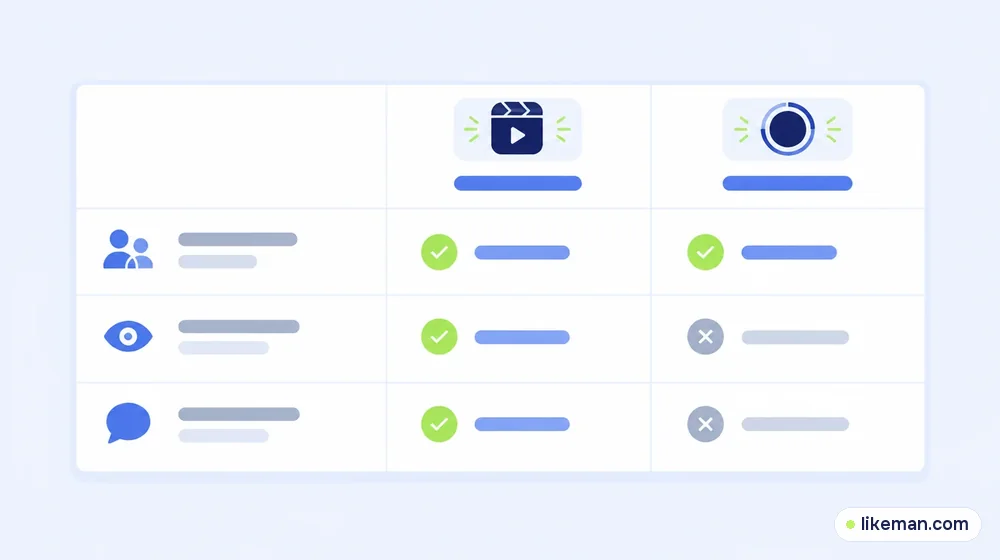
For your personal Facebook story, Facebook does show a viewer list, and only you can see it:<!-- checked: 2026-10-16, https://www.facebook.com/help/1322453704471759/ -->
| Reels | Stories | |
|---|---|---|
| List of viewer names | No | Yes, for the story's owner |
| Reactions shown with names | Yes | Yes, next to viewer names |
| How long it's available | As long as the reel is up | While the story is live |
If knowing exactly who watched matters to you — say, for a close-friends update — post it as a story rather than a reel.
What other people can see about your viewing
Facebook's privacy explanation is reassuring: your watch history is never visible to others. Only specific actions may show up, depending on your privacy settings:<!-- checked: 2026-10-16, https://www.facebook.com/help/410629549531206/ -->
- Liking a reel — friends who come across it may see that you liked it.
- Commenting — comments on reels, Pages and live videos can be seen by anyone.
- Sharing — visible to the audience you share it with.
- Liking or following a Page — friends may see your name when they visit that Page.
So you can watch someone's reel ten times and they won't know — unless you react, comment or share.
Why "who viewed my reels" tools don't work
Apps and browser extensions that claim to reveal reel viewers can't access data Facebook doesn't provide. At best they guess from reactions and comments; at worst they collect your login and post spam from your account. Never enter your Facebook password into a third-party site, and remove any app connections you don't recognise in your account settings.
How to learn more about your audience the honest way
- Ask in the caption. "Where are you watching from?" gets comments and shows who's there.
- Compare reels. Insights show which topics hold attention; do more of those.
- Turn on professional mode on a personal profile if you want creator insights.
- Use stories for check-ins when you need to know who exactly saw something.
- Watch reactions, not just views — names on reactions tell you who engages.
For more ways to reach new people, our guide to growing a Facebook following has the playbook.
How it works at LikeMan
With only a handful of plays, a reel often gets scrolled past. LikeMan offers Facebook views that need just the reel's public link — no Facebook login is ever requested. You'll know the full cost at checkout, processing kicks off by itself, and views that drop within a year are restored. Ordered views appear in the count but not in anyone's reactions or comments, so they're a starting point; the reel itself has to make people react.
FAQ
Can you see who viewed your reels on Facebook?
No. Facebook shows the view count and the names of people who react, comment or publicly share — not a list of viewers.
Does Facebook notify someone when I watch their reel?
No. Your watch history isn't visible to others; only actions like reacting, commenting or sharing may be seen.
Can a Page see who watched its reels?
No. Pages get aggregate insights in Meta Business Suite — plays, watch time and audience breakdowns — but not names.
Can I see who shared my reel?
Partly. Public shares can show the name of the person who shared, while shares sent in Messenger or to a private audience appear only as a number in insights.
Is it the same on Instagram?
Yes. Instagram also shows reel totals and reactions rather than a viewer list, and keeps viewer names for Stories.
Why can I see who watched my story but not my reel?
Stories are designed for your audience and include a viewer list for the owner. Reels are built for wider discovery and only show totals.
Conclusion
Facebook doesn't reveal who watched your reels. You get a view count, the names of people who react, comment or share publicly, and — for Pages and professional mode — aggregate insights. Stories are the exception, with a viewer list only you can see. Viewers' watch history stays private, so skip any tool that promises names and use insights to make better reels instead.